
Before you start
The app is not on the Play Store, so you install it from an APK file. The file is around 95.3 MB, so keep at least 300 MB of free space for the install and the game data it creates. You will also need to pick the right build for your phone: 64-bit for modern devices or 32-bit for older ones. Our 32-bit vs 64-bit guide shows how to check which one you need.
Step 1: Download the APK
Head to the app download page and grab the version that matches your phone. The download takes a minute or two on a normal connection. Do not rename the file, and keep it somewhere you can find, like the Downloads folder.
Step 2: Allow installs from unknown sources
Android blocks sideloaded apps by default. On modern Android, when you open the APK your phone will ask permission to install unknown apps; tap Allow for the browser or file manager you are using. On older versions, the toggle lives in Settings under Security. This is a one time step per app source.
Step 3: Install the file
Open the downloaded file and tap Install. The process takes under a minute. If you see a Parse Error or an App not installed message, it usually means you grabbed the wrong bitness build for your device or the download was corrupted. The install troubleshooting guide fixes every common error.
Step 4: First launch
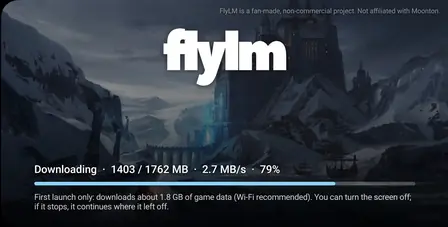
Open the app from your app drawer. It may ask for storage permission so it can save game data; grant it. There is no login screen and no account creation. The game drops you straight into the main menu where every hero is already unlocked.
What to do first
Play a classic match against bots to get a feel for the 2019 mechanics, then try ranked if you want to start the climb to Mythic. Diamonds land in your account after matches, so spend a few on the skins you always wanted back in the day. The free diamonds guide explains how to earn them faster.