
Start with the easy checks
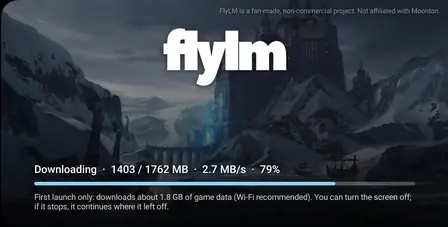
Before anything else, confirm two things: the download finished completely and you have at least 300 MB of free space. A half downloaded file is the single most common cause of install failures, and low storage makes Android kill installs silently. If either looks off, fix it and retry. The installation guide covers the clean path from the start.
Fix 1: You grabbed the wrong build
A Parse Error almost always means the 64-bit APK met a 32-bit phone, or vice versa. Download the other build from the app download page and install that instead. Our 32-bit vs 64-bit guide shows how to check your phone so you only download once.
Fix 2: A conflicting copy is already installed
App not installed often means another the app copy with a different signature is on the phone. Uninstall every existing this app copy, restart the phone, and install fresh. Two builds with mismatched signatures cannot coexist, so a clean slate is the only fix.
Fix 3: Unknown sources is blocked
If the install never starts, Android is blocking sideloading. Open the APK again and Android should prompt you to allow your browser or file manager to install apps; accept it. On very old Android, the toggle is in Settings under Security. This is a one time permission per source.
Fix 4: The download is corrupted
If the file size does not match the published 95.3 MB, the download broke somewhere. Delete it and download again on a stable connection, ideally Wi-Fi. Corrupted files fail with Parse Error too, which is why this fix sits after the build check.
Fix 5: Play Protect interference
Occasionally Play Protect flags the install and blocks it. You can allow the install from its prompt; there is no need to turn Play Protect off. If you are unsure about the file, re-download it from the official download page so you know exactly what you are installing.
Still stuck?
Work the list once more in order: space, build, conflicts, permissions, fresh download. Install failures are almost always one of these five. Once it installs, the first launch guide at the end of the installation walkthrough gets you into your first match.